5 ways to recover.
Zero ways to lose.
Recoverability you can prove in minutes.
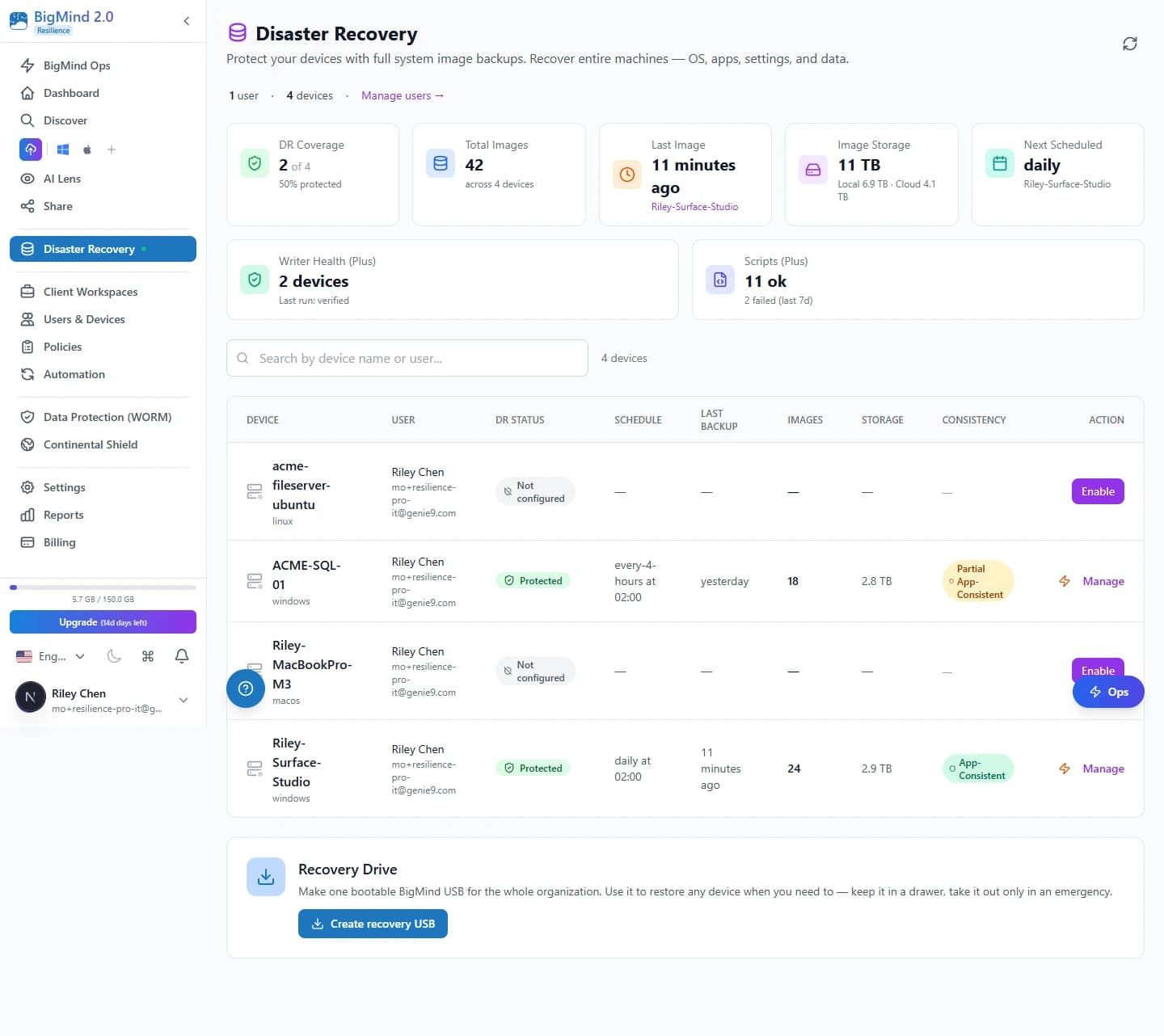
- Full-system disaster recovery — 5 ways back
- Ransomware detection that catches attacks mid-encryption
- Smart cloud file backup
- AI Lens search — faces, text, even DICOM
- Dropbox, OneDrive, Google Drive, Box + 18 more cloud services
- Ops AI to run it all — and much more
One platform. SMB pricing.
Fortress · protection posture
Escape · 5 ways to recover
Trusted by IT Teams At





Recovery Methods
When disaster strikes, pick the fastest path.
Most products give one way to restore. We give five — color-graded by speed. A file instantly, a whole machine in ~5 min with Always-Ready or ~30–60 min cold, bare-metal in ~2–3 hours.
Always-Ready VM
A pre-launched, RDP-ready AWS VM that mirrors your last backup. The fast full-machine path.
Learn moreInstant Recovery
Cold-boot any image as a raw EBS volume. Add Always-Ready to turn the cold rebuild into ~5 minutes.
Learn moreCloud Desktop
Boot any backup as a metered Windows VM — pay only while it runs. (→ ~5 min with Always-Ready.)
Learn moreUSB / Full System Restore
Cross-hardware bare-metal restore from a USB. No cloud required, air-gap-compatible.
Learn moreBrowse Files
Drill into any image and pull a single file in seconds. No full restore needed.
Learn moreComing Q3 2026 to Resilience Pro
Business-Priority Recovery — restore in the right order.
Recover 25+ machines in the right order — identity first, then databases, then apps, then files, then endpoints. Recovery Plans you build once, run during incidents, drill quarterly.
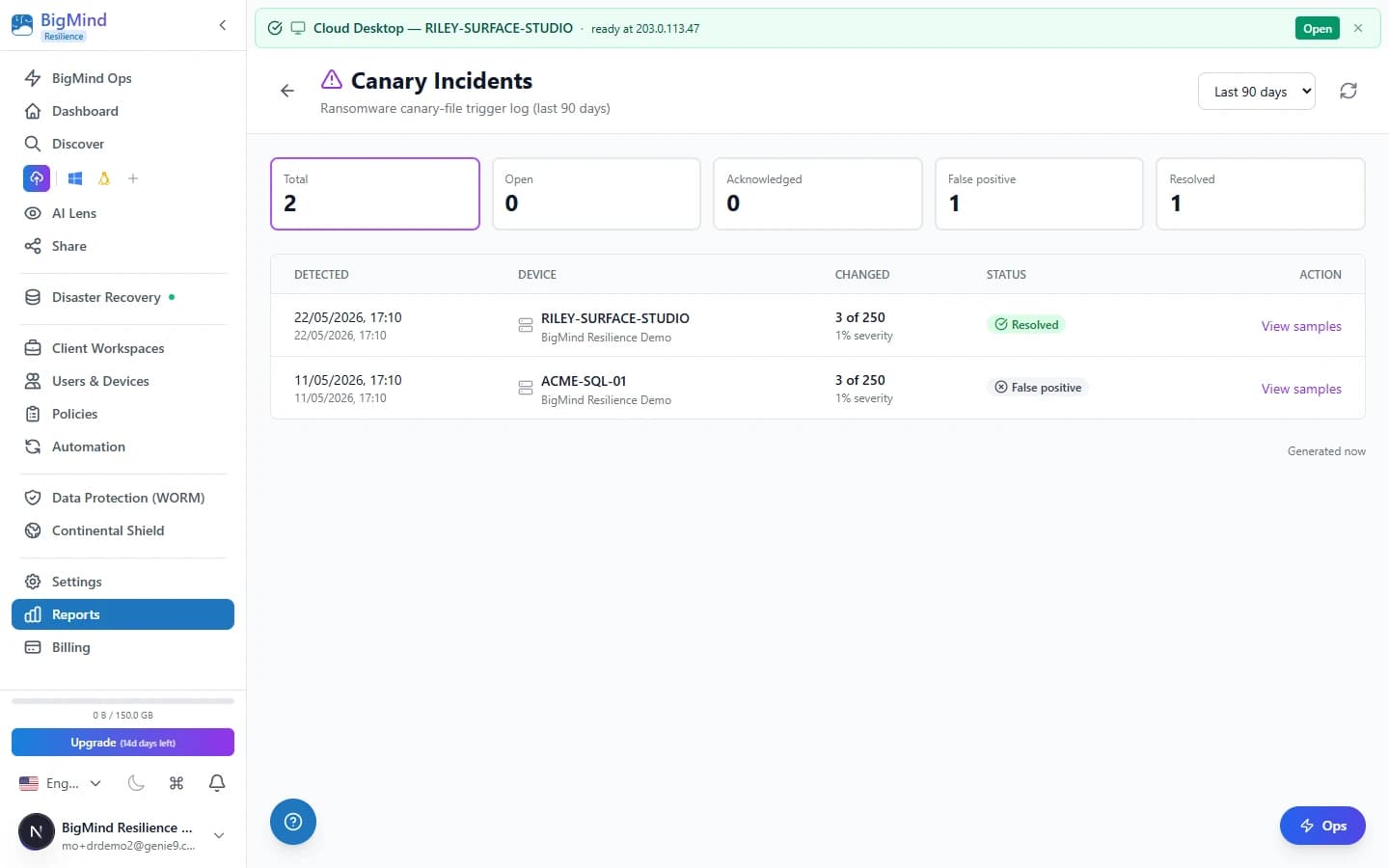
We catch ransomware mid-attack. Not after.
Decoys hashed at install and verified every backup. Tamper triggers an alert and freezes backups to protect the last clean image.
- Deterministic, not AI-guess — hash-based, zero training, zero false positives in testing.
- Day one, endpoint one — works the moment the agent installs; free in every paid plan.
- WORM-immutable — the last clean backup can’t be deleted or modified.
 Click to enlarge
Beyond Disaster Recovery
Plus the smart file backup you already wanted — SaaS backup included.
Back up Dropbox, OneDrive, Google Drive, Box, Amazon S3 and 17 more — all part of your Resilience subscription. No separate add-on.
Cloud-Service Backup
Dropbox, OneDrive, Google Drive, Box, Amazon S3 and 17 more — 22 connectors, included.
Learn moreInstant Search
Sub-3-second search across 10M+ backed-up files.
Learn moreSmart Storage Tiering
Hot / Cold / Deep Freeze — 40–70% storage savings.
Learn moreAI Lens
Face recognition, OCR, and a medical DICOM viewer.
Learn moreClient Workspaces
Isolated, permissioned, audit-logged — 10 on Standard, unlimited on Pro.
Learn moreReports & Audit
Coverage, history, and exportable audit trails.
Learn more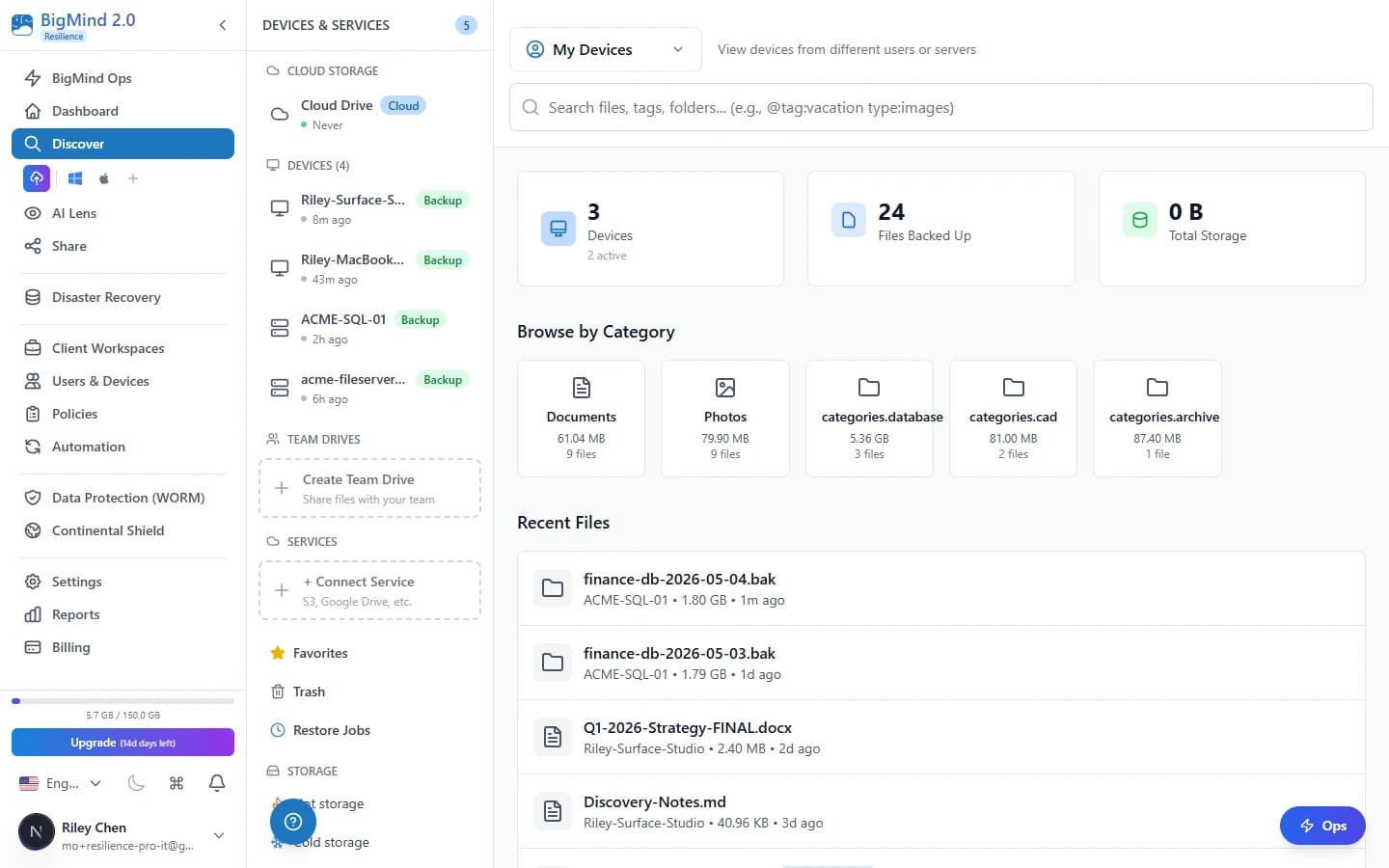 Click to enlarge
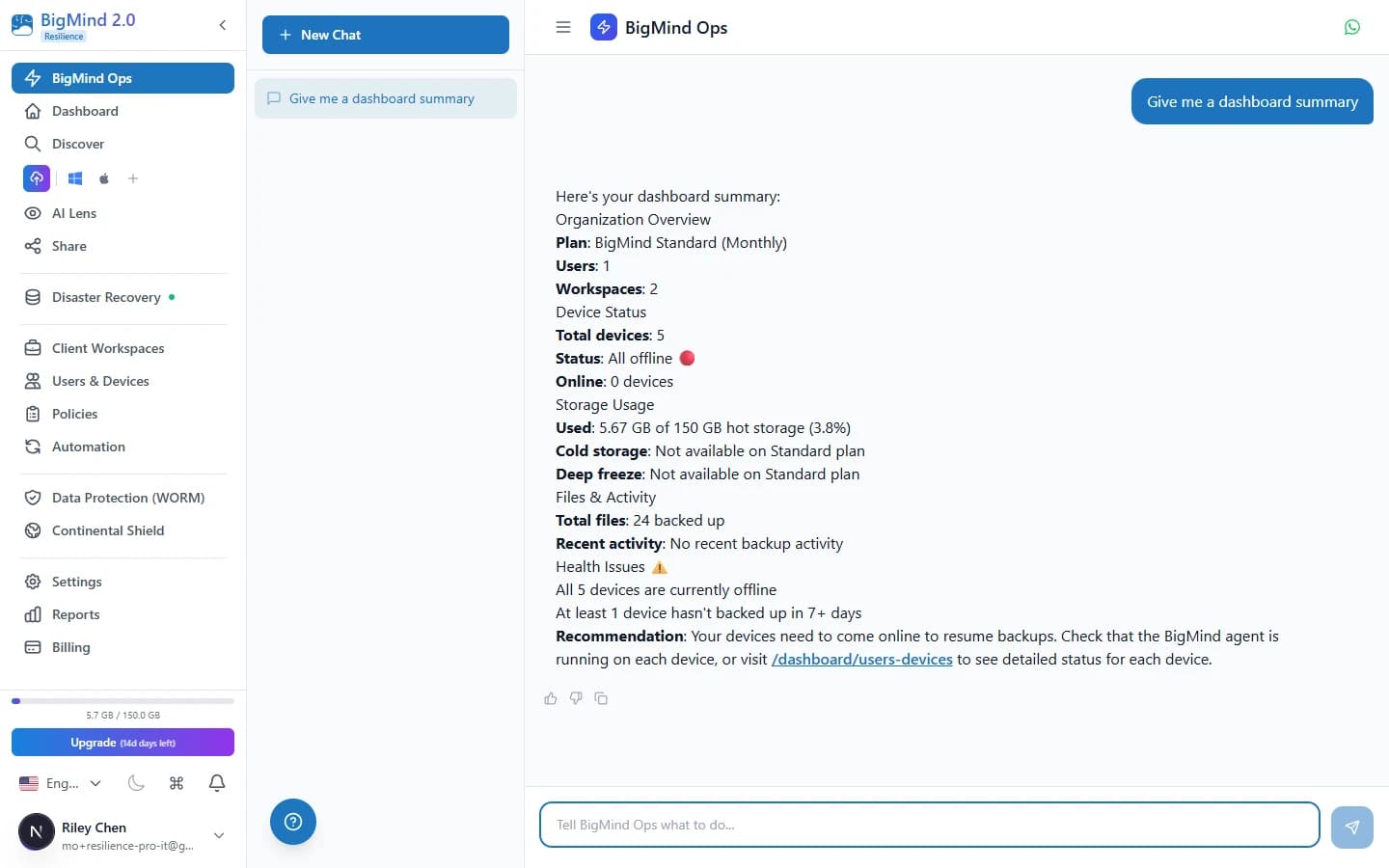
Manage everything with one conversation.
The industry’s first AI operations center for cyber resilience. 76 tools across 17 domains. Every action requires confirmation.
- 76 operational tools across 17 domains — backup, DR, compliance, diagnostics.
- 10× faster: what took 15 minutes now takes under 60 seconds.
- Enterprise-safe: every action requires confirmation. No silent deletions.
 Click to enlarge
Why BigMind Resilience
Enterprise-grade DR + built-in ransomware detection. At SMB prices.
| BigMind | Druva | Veeam | Datto | |
|---|---|---|---|---|
| Per-endpoint / yr | $60–$288 | ~$96+ SaaS, per-endpoint | ~$250–450 per instance (VUL) | Appliance + service |
| Ransomware detection | Included, deterministic, every tier | Detection incl.; recovery add-on | Advanced tiers only | Included |
| Cross-hardware restore | Yes, included | Cloud-orchestrated only | Included | Yes |
| Cloud-service backup (Dropbox, Box, S3 + more) | 22 connectors included | SaaS apps only (M365/GWS/SFDC) | Separate products | M365 & GWS (separate) |
| Warm-VM + metered cloud recovery, no appliance | Included (Always-Ready + Cloud Desktop) | ✗ | ✗ | Via appliance |
Simple, transparent pricing
Pick a tier. Annual save 17%.
What Professionals Say
Real results from businesses like yours

Head of Operations
“Since day one, BigMind impressed us with everything they are capable of”

Photographer
“Locating my clients photos with their name made my life easier”
Enterprise-Grade Security & Compliance
Looking for free local DR?
BigMind DR Free — disaster recovery for SMBs. $0. Forever.
Block-level imaging, ransomware canary, USB recovery, and file browse — no cloud required. Free up to 5 users / 1 device. No credit card.
Get BigMind DR FreeReady to make your backups ransomware-proof?
Start in 5 minutes. 14-day free trial. Windows, macOS, Linux, iOS, Android.