Five ways to recover. All free.
Browse a file, pull a file, mount the image, restore the image, or boot a USB on brand-new hardware — every path works from your local backup, on every tier, including Free. Need a machine back in the cloud in minutes? That's BigMind Resilience.
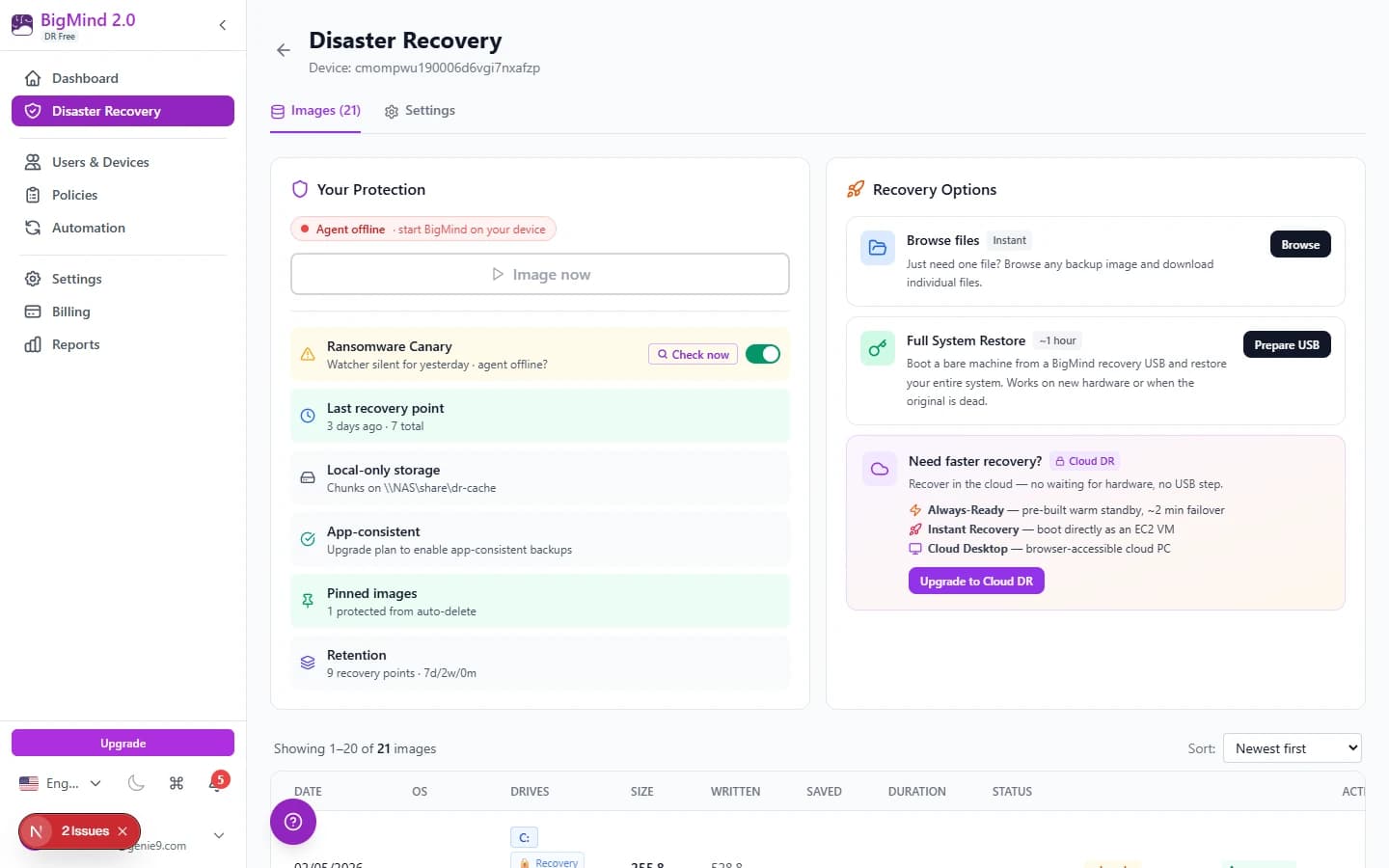
Pick the fastest. Or the cheapest. Or both.
The image is on your disk. Use it three ways.
Your backup chunks live on your own drive, USB, or NAS — so restoring never waits on a download.
Single-file restore
Pull one file from any recovery point, straight from local chunks. The everyday fix for “I overwrote the contract.”
Mount as VHDX
BetaBuild the image into a Hyper-V virtual disk (~30 min – 2 hrs, machine-dependent). Open it like a drive, copy what you need, detach. No restore at all. Free on every Local DR tier.
Full-image restore
Roll the machine back to any recovery point — block-level, with cross-hardware driver injection if the hardware changed.
Cross-hardware bare-metal restore. Free.
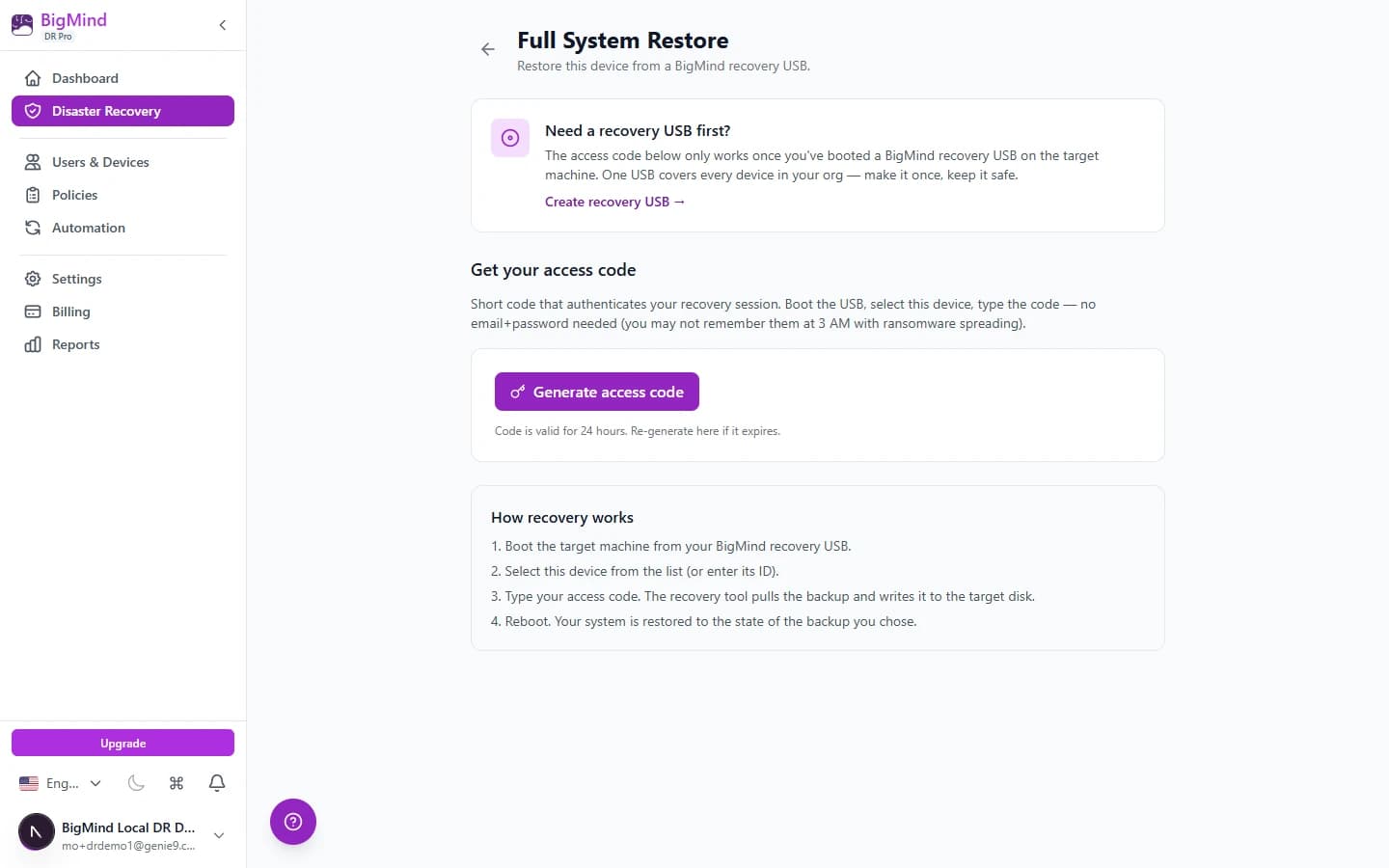
The USB recovery method is what makes BigMind DR Free actually useful when disaster strikes. Plug the USB into ANY hardware — same chipset, different chipset, replacement laptop with a Snapdragon SoC — and it boots, finds your backup chunks, runs offline DISM driver injection, restores the full image.
The 4-click USB creator wizard builds the stick; one USB covers every device in your org. At recovery time you authenticate with a short access code — no email + password to remember at 3 AM with ransomware spreading.
What other free tools don't do: cross-chipset boot, DISM driver injection, NIC driver harvest. We do.
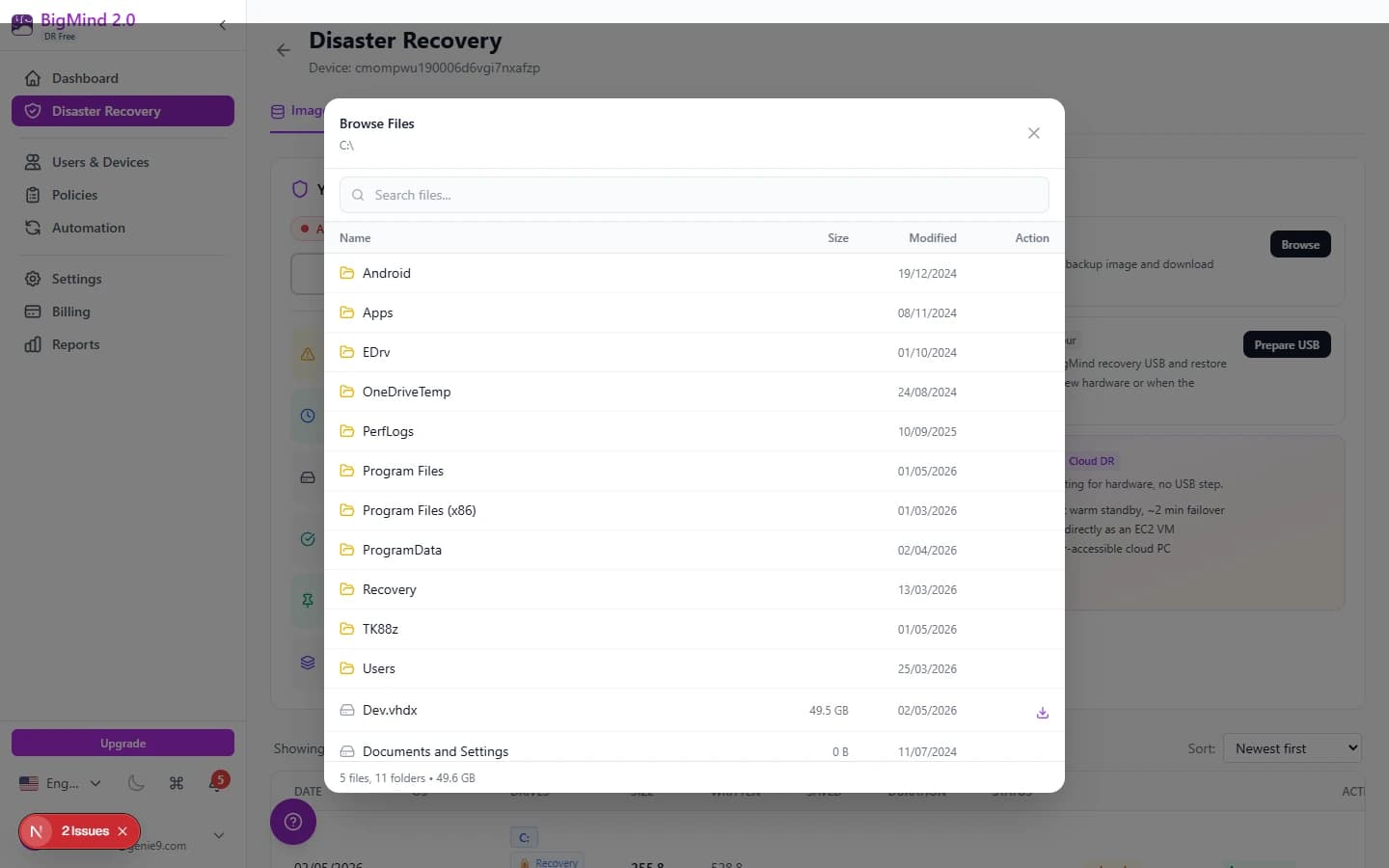
One file. No restore. Instant.
90% of “disasters” are someone deleted one file or overwrote a contract. Restoring a full image for one file is overkill. Browse Files lets you drill into any backup image like a folder, find the file, click to download. Instant. Free tier included.
Need a machine back faster than hardware allows?
BigMind DR is local by design. When you need a dead server running in the cloud in minutes — warm standby, on-demand boot, or a week-long bridge VM — that's BigMind Resilience.
Always-Ready VM
Warm AMI mirroring your last backup — RDP in about 5 minutes.
Learn moreInstant Recovery
Boot any image as raw EBS on demand while files restore behind the scenes.
Learn moreCloud Desktop
Windows VM in AWS, $0.20–$0.40/hr metered (first 60 min free, capped $3–$6/day).
Learn moreWhich path when?
| Scenario | Path | Tier |
|---|---|---|
| Deleted one file | Browse Files | Free |
| Need yesterday’s version of a database file | Mount as VHDX | Free |
| Machine infected, roll back to last clean image | Full-image restore | Free |
| Old laptop died, replacement is different brand | USB Recovery | Free |
| Server crashed, replacement comes Friday | Cloud Desktop bridge | BigMind Resilience |
| Mission-critical SQL down at 9am | Always-Ready VM | BigMind Resilience |
Recovery FAQ
Is USB Recovery really included on Free?+
Yes. Block-level USB recovery with cross-hardware DISM driver injection — included at every tier including Free. The 4-click USB creator wizard builds the recovery stick for you; one USB covers every device in your org.
What is VHDX mount?+
Any backup image can be built into a Hyper-V virtual disk (VHDX) — open it like a drive, copy what you need, detach. Great for grabbing yesterday’s version of a database or comparing file states without touching the live machine. Building the VHDX takes roughly 30 minutes to 2 hours depending on the machine and image size. Currently in Beta — free on every Local DR tier.
Why isn't Cloud Desktop in DR pricing?+
Cloud Desktop runs in our cloud and costs real AWS spend, metered $0.20–$0.40/hr (first 60 min free, capped $3–$6/day). Free can't sustain that, and Plus/Pro at flat $59/$119 can't either. It's part of BigMind Resilience, pay-per-use with credits.
What's the difference between Always-Ready and Instant Recovery?+
Both are BigMind Resilience cloud-recovery features. Always-Ready keeps a warm VM ready so the machine is back in about 5 minutes. Instant Recovery boots cold on demand (~30–60 min, no warm state). BigMind DR itself is local — your fastest paths here are Browse Files (instant) and single-file restore.