 Imaging backup and patient sharing for clinics
Every scan safe. Every patient one link away.
BigMind Medical backs up your images and the computers they live on, files every study by patient, and sends patients and their doctors a link instead of a CD. It works alongside your PACS, or without one.
15 days free · 250 GB per seat · no card
BigMind Medical is not a diagnostic device. It keeps, files and shares images for review; a clinician reads every image.
How it works
From the scanner to the patient’s phone.
- 1InThe scanner sendsFrom the folder it saves to, over DICOM to a receiver on a clinic PC, by upload, or through the API.
- 2KeepIt is backed upWith the imaging PC, the practice server and its database. Older studies can move to cheap archive.
- 3FileIt files itselfBigMind reads the DICOM tags and puts each study under the right patient. Nobody types a name.
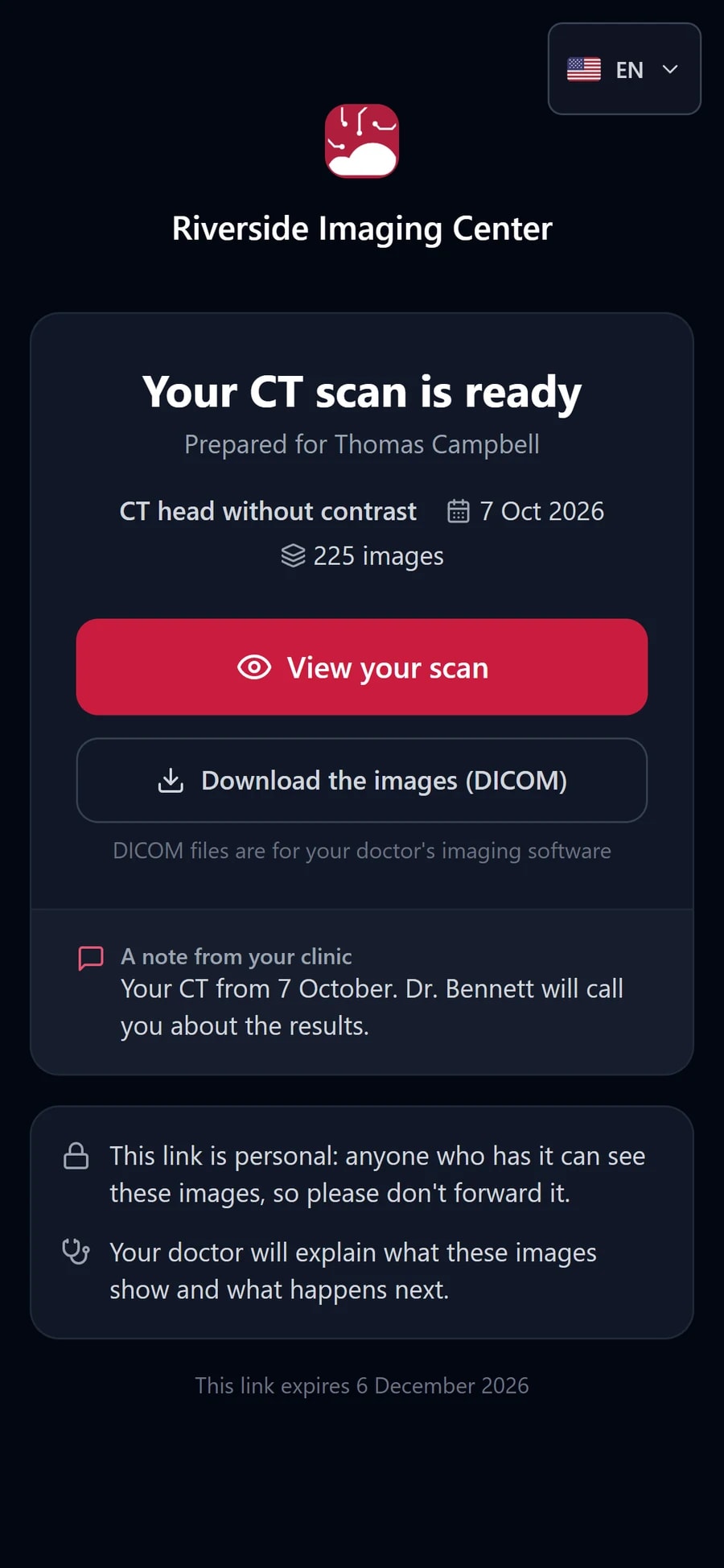
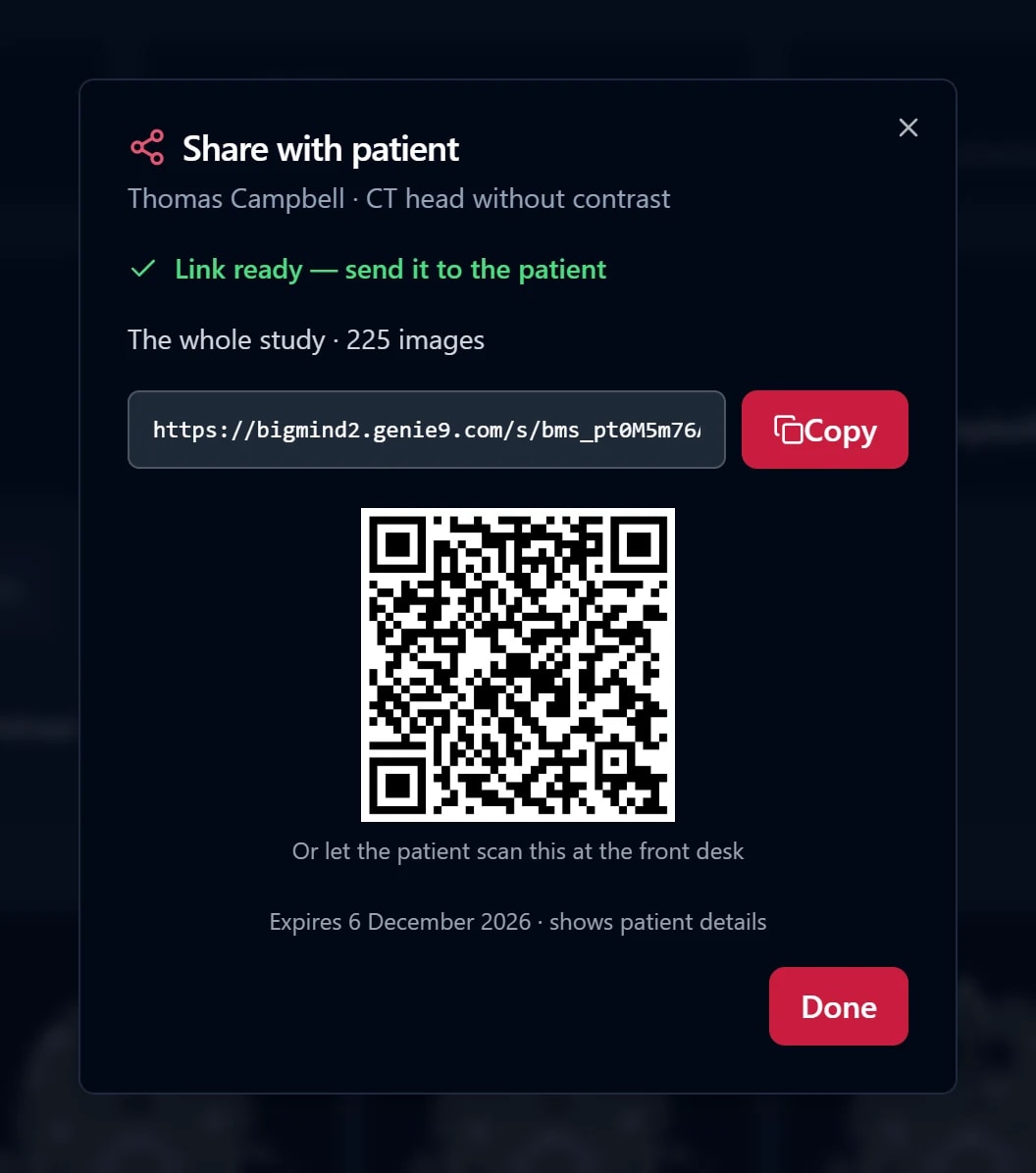
- 4SendThe patient gets a linkA link or a QR code at the desk. It opens on any phone; their doctor can download it.
Three jobs, one service
Keep it. File it. Send it.
Keep
Nothing is lost.
- The imaging PC, the front desk and the practice server, as whole machines
- Practice databases on SQL Server captured cleanly, on both plans
- Ransomware Canary checks decoy files on every backup
- Recovery images are boot-tested before you need them
File
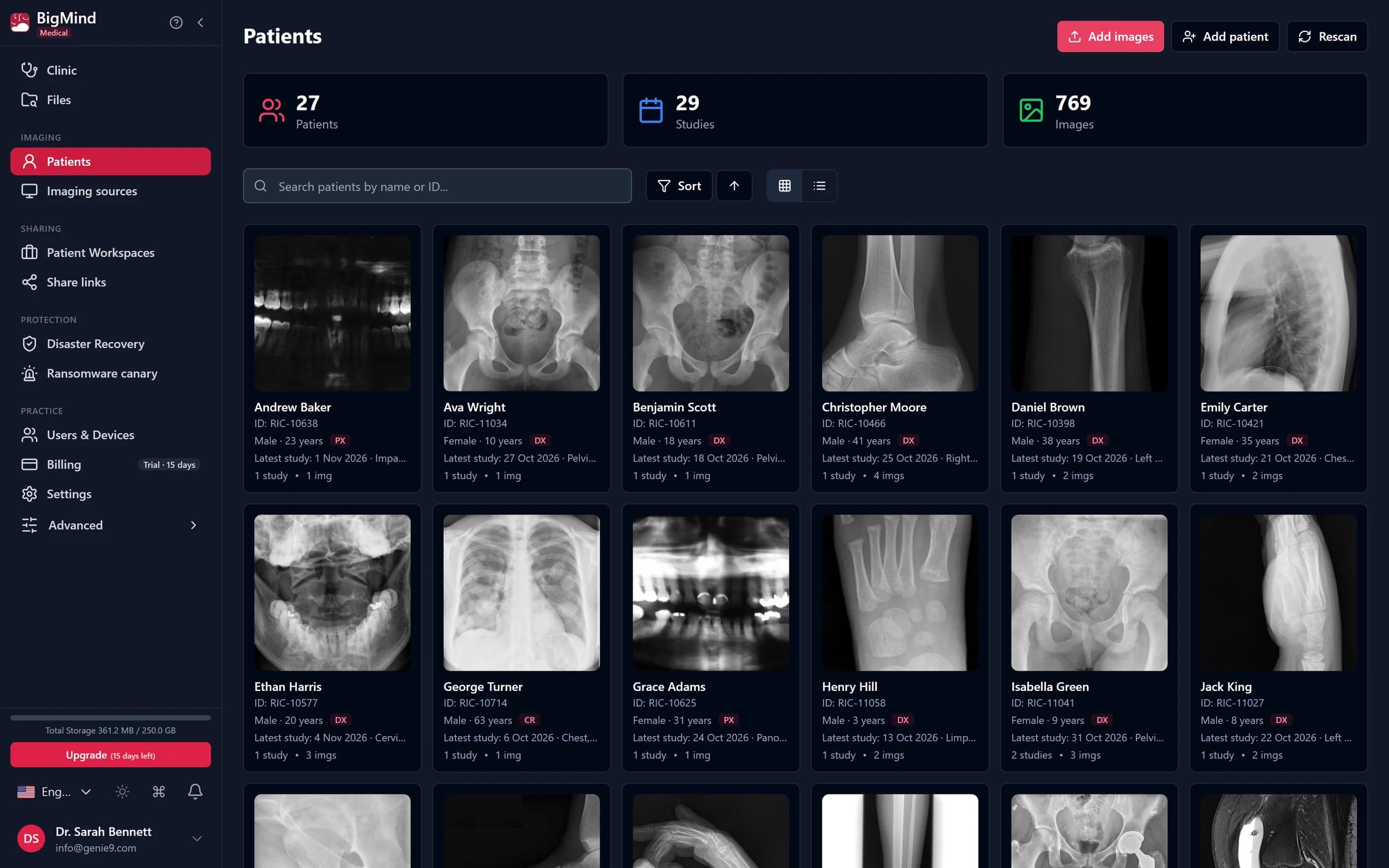
Patients build themselves.
- Find anyone by name or ID, as written on the scan
- Merge duplicates, rename, move a study: every change audited
- Open any study in a browser, nothing to install
Send
A link, not a CD.
- Choose 7, 30 or 90 days, or no end; add a password
- Stop any link at once if it went to the wrong person
- Patient pages in 18 languages
Review
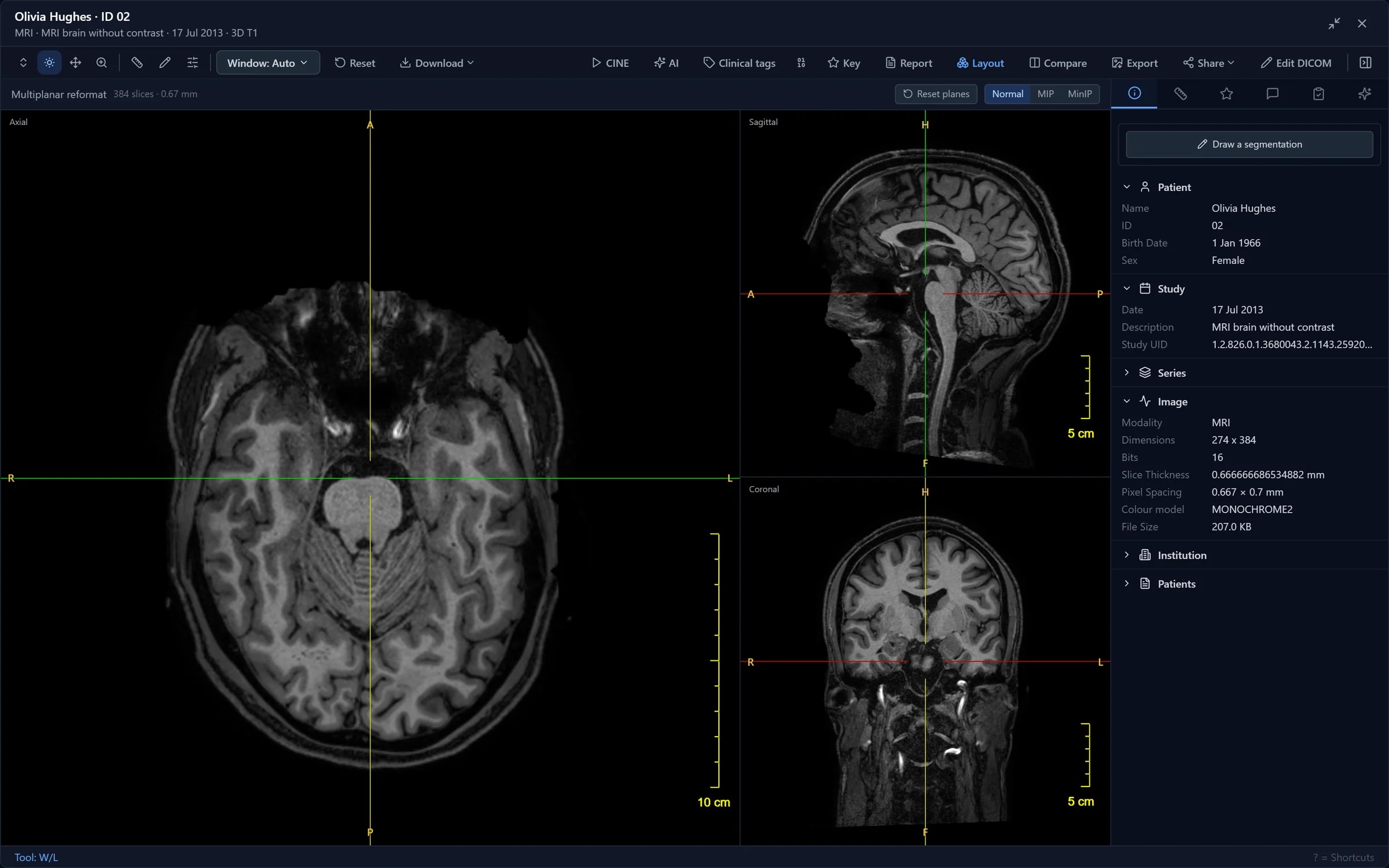
A viewer for every screen in the clinic.
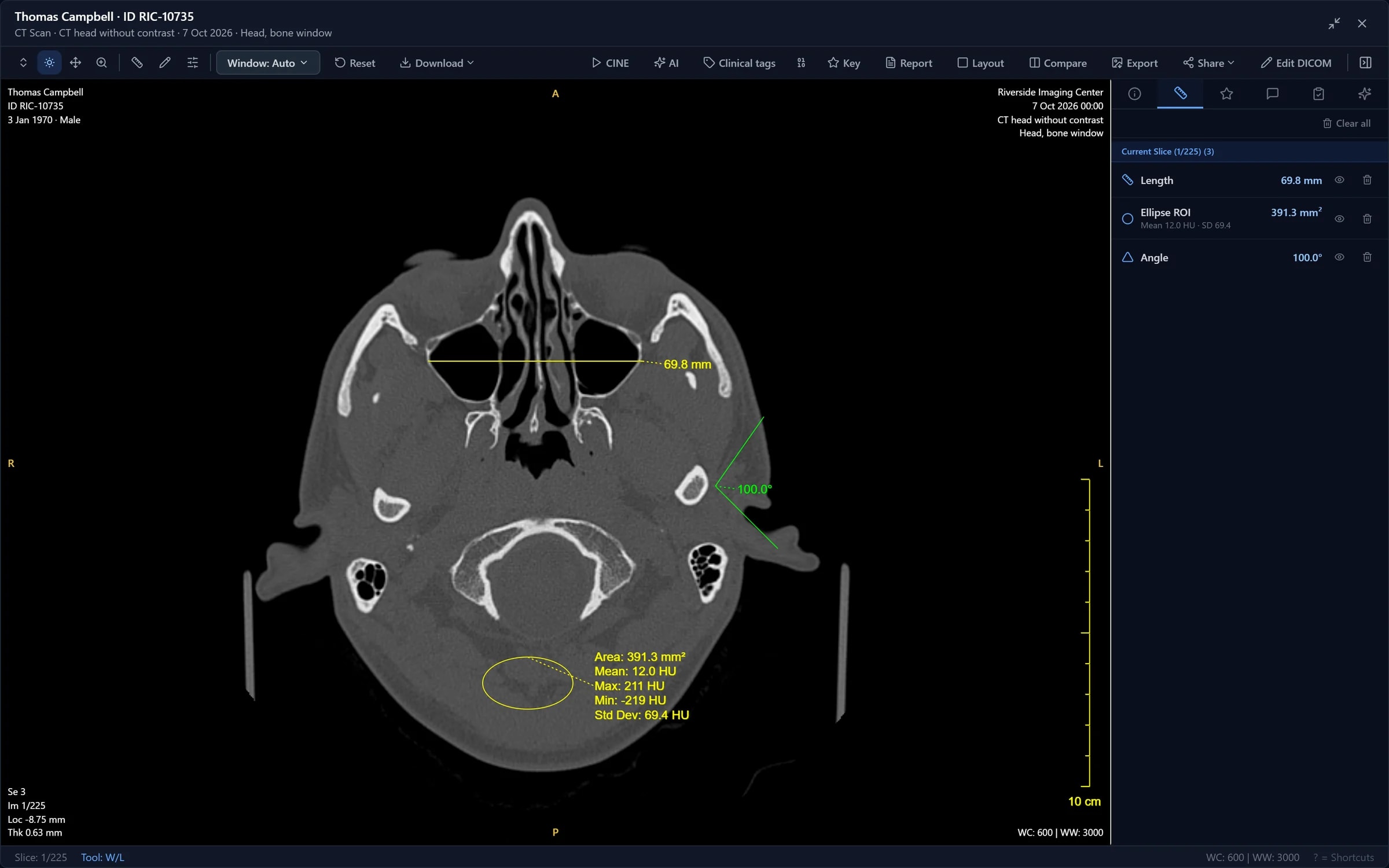
- 12 measurement tools, including Doppler
- Three-plane reformat (MPR), key images and priors
- Measurements export as DICOM SR and come back identical
Where we fit
Not a PACS. On purpose.
Your PACS and your radiologist
Read and report.
- Hanging protocols and worklists
- The signed diagnostic report
- Keep whatever you use today, or none at all
BigMind Medical
Keep, file and send.
- A safe copy of every scan, and of the machines around it
- A patient record that builds itself from the images
- A viewer to review, and a link for the patient and their doctor
Weighing it up against a PACS, CDs or a generic backup? See the comparison
Integrations
Your scanner sends. We file it. Your software hears about it.
Fits the software you already run.
- C-STORE from the scanner to a receiver on a clinic Windows PC
- A REST API: send a study, get the patient’s link back
- DICOMweb (QIDO-RS, WADO-RS) for viewers and AI tools
- Webhooks when a study is ready, or poll for changes
# 1. Your software sends the study. Patient and study come from the tags.
curl -X POST https://bigmind2.genie9.com/api/v1/dicom/studies \
  -H "Authorization: Bearer $BIGMIND_KEY" \
  -F files=@IM0001.dcm -F files=@IM0002.dcm

# 2. Ask for the patient's link. A retry returns the same link.
curl -X POST https://bigmind2.genie9.com/api/v1/dicom/studies/$STUDY/share \
  -H "Authorization: Bearer $BIGMIND_KEY" \
  -H "Idempotency-Key: visit-0142" \
  -H "Content-Type: application/json" \
  -d '{"expiresInDays": 30}'
Who it's for
Clinics that make images and have no IT department.
- Imaging centersStop burning CDs. Keep every prior on cheap archive.Learn more
- Dental practicesX-rays, CBCT and the practice database, together.Learn more
- Radiology groupsAn off-site copy and years of priors. Your PACS stays.Learn more
- Veterinary clinicsX-rays for owners and the specialist you refer to.Learn more
Why clinics can trust BigMind Medical
- Genie9 has made backup software
- Since 2009
- of customer data backed up
- 10 PB+
- logged: opened, downloaded or stopped
- Every link
- encryption at rest, TLS in transit
- AES-256
Healthcare organizations that have used Genie9 backup
See all our clients





Pricing
Two plans. Everything included on both.
Standard
$25/ user / month
or $250 per user a year
- 500 GB per user, pooled
- 3 devices per user · 10 Patient Spaces
- SQL Server databases captured app-consistently
- Email support (48 h)
Pro
$39/ user / month
or $390 per user a year
- 1 TB per user, pooled
- 5 devices per user · Unlimited Patient Spaces
- MySQL database backup · SQL Server add-on
- Longer recovery history · Priority support (4 h)
On both plans
- Imaging backup with full-machine disaster recovery
- Patients filed from the images, a browser viewer
- Patient links, QR codes and Patient Spaces
- API, DICOM receiver, DICOMweb and webhooks
- Ransomware Canary and an audit log
Older studies can move to archive: Cold $8 per TB a month, back in 3–12 hours, or 2–6 minutes expedited; or Deep Freeze $5 per TB a month, back in 12–48 hours.
FAQ
Questions clinics ask
Is BigMind Medical a PACS?
No. A PACS is where images are read and reported. BigMind Medical keeps them safe, files them by patient and sends them to patients and doctors. It works alongside your PACS, or on its own if you do not have one.
How do our images get in?
Four ways: the BigMind agent on the computer your scanner saves to, a network folder, a browser upload, or straight from the scanner over DICOM (C-STORE) to the receiver that comes with the BigMind agent for Windows. Your software can also send studies through the API. Images you already backed up become patients without being uploaded again.
Do patients need an account or an app?
No. They open a link, or scan a QR code at the front desk, and the scan opens in their phone’s browser. You choose how long the link lasts, can add a password, and can stop it at any time.
Can the patient’s doctor use the images?
Yes. The same link opens with full viewing tools for a doctor, and the study downloads as DICOM files for their own imaging software.
Where is our data stored?
US clinics’ images are stored in the United States (Amazon Web Services, US East); UK clinics can have theirs stored in the UK. UK clinics: tell us before you start. Every study is encrypted in transit and at rest, and every patient-link open, download, share, change and API read is written to your audit log.
Is BigMind Medical HIPAA compliant?
We do not describe the product as HIPAA compliant, because compliance depends on how a practice uses it and on the agreements it signs. We sign a Business Associate Agreement (BAA) with US practices that need one; ask for it before you store patient data. BigMind Medical encrypts every study, limits who can open what, and logs every patient-link open, download, share, change and API read.
Does BigMind Medical diagnose anything?
No. It is not a diagnostic device. The viewer is for review and sharing, measurements show the calibration they come from, and a clinician reads every image.
What happens when the trial ends?
Choose Standard or Pro at any time during the 15 days. We email you 7, 3 and 1 days before the end with your clinic’s own counts and the date the images would be deleted if no plan is chosen. Until then you can open every study.
Keep every scan. Send it with a link.
15 days free, 250 GB per seat, no card. Bring your own images or look around the sample clinic first.