 Share with patients
A link, not a CD.
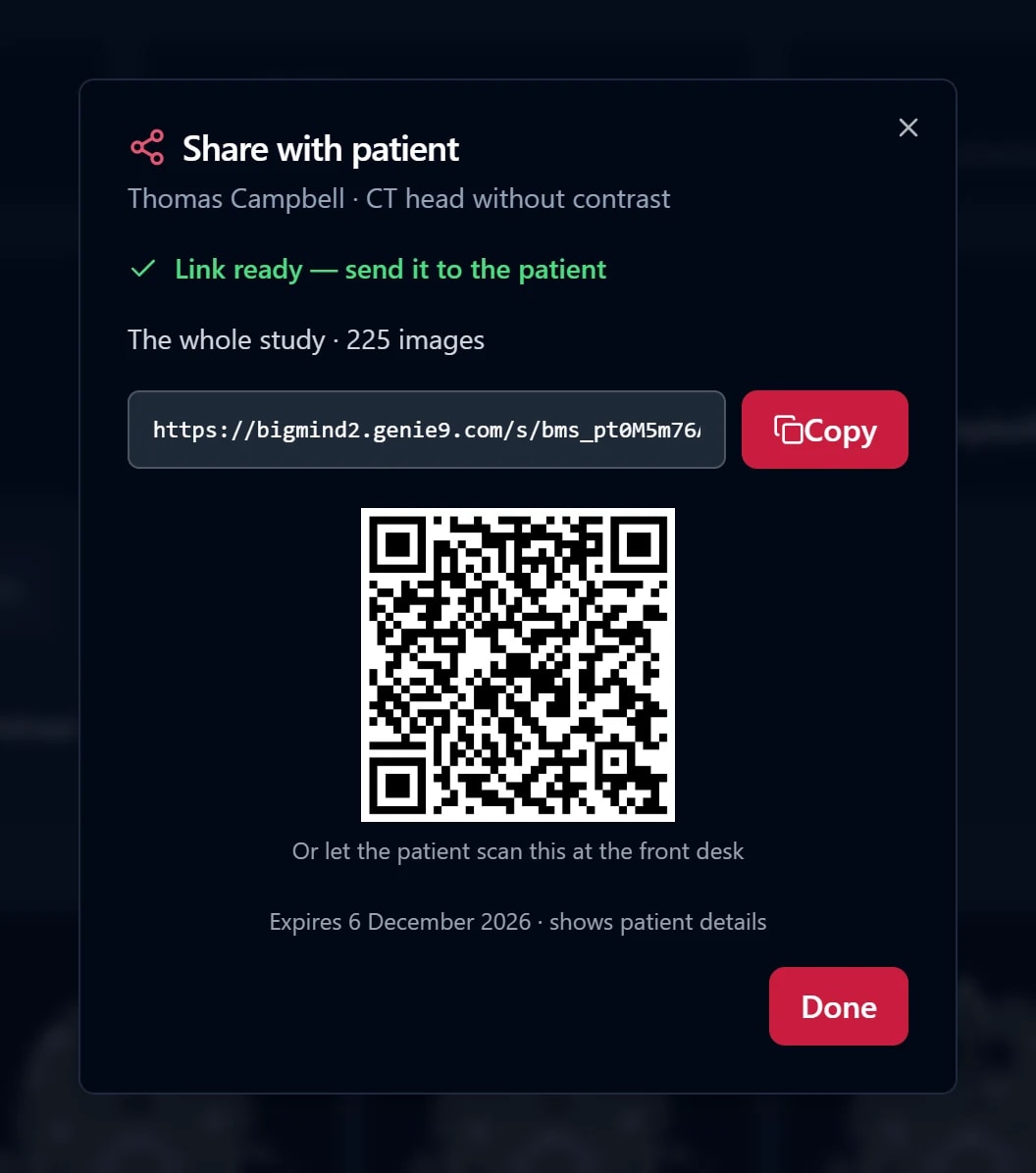
Press Share on any study. The patient gets a link, or scans a QR code at the front desk, and the scan opens on their phone. Their doctor opens the same link with full tools, or downloads it for their own software.
15 days free · 250 GB per seat · no card
BigMind Medical is not a diagnostic device. It keeps, files and shares images for review; a clinician reads every image.
Why not a CD
Patients still get scans on discs. Most laptops can’t read them.
- A CDBurned, labelled and handed over or posted. Easy to lose, and a modern laptop has no drive to read it.
- Email or a chat appStudies are too big, there is no viewer, it never expires, and it sits in someone’s inbox for good.
- A BigMind linkOpens on any phone, shows the scan in a proper viewer, expires when you say, and can be stopped.
At the front desk
Three clicks before the patient leaves.
- 1SharePress Share on the studyFrom the patient’s record or the viewer. The whole study goes, every series.
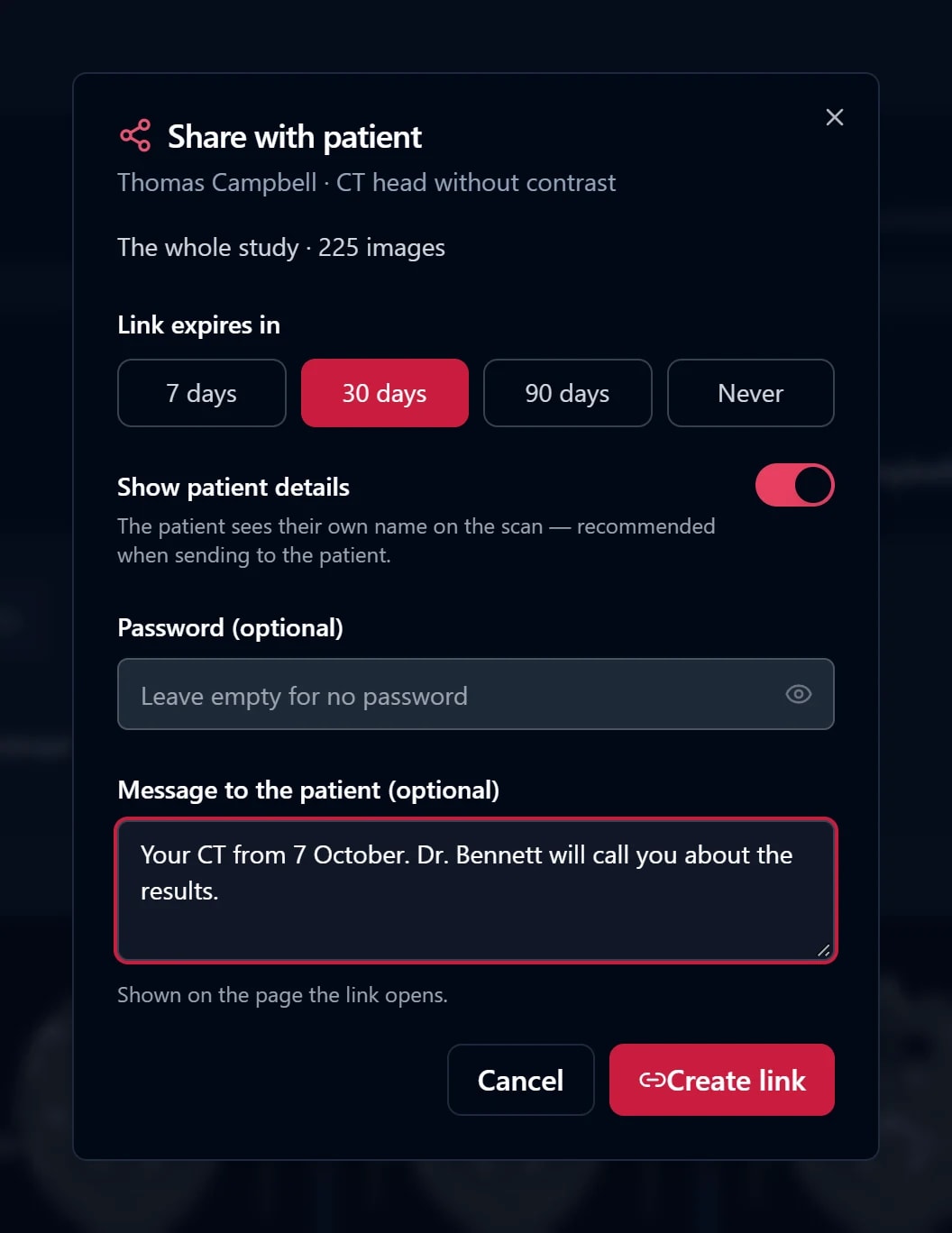
- 2ChoosePick how long it lasts7, 30 or 90 days, or no end. Add a password and a short note if you like.
- 3SendCopy the link, or show the QRText or email the link, or let the patient scan the code on the desk screen.
You stay in control of every link.
- Choose the lifetime, or no end date
- An optional password for the link
- Patient details shown, or the whole study de-identified
- A check before sharing when names may be burned into the pixels
- Stop any link at once from Share links
For the patient
“Your MRI scan is ready.”
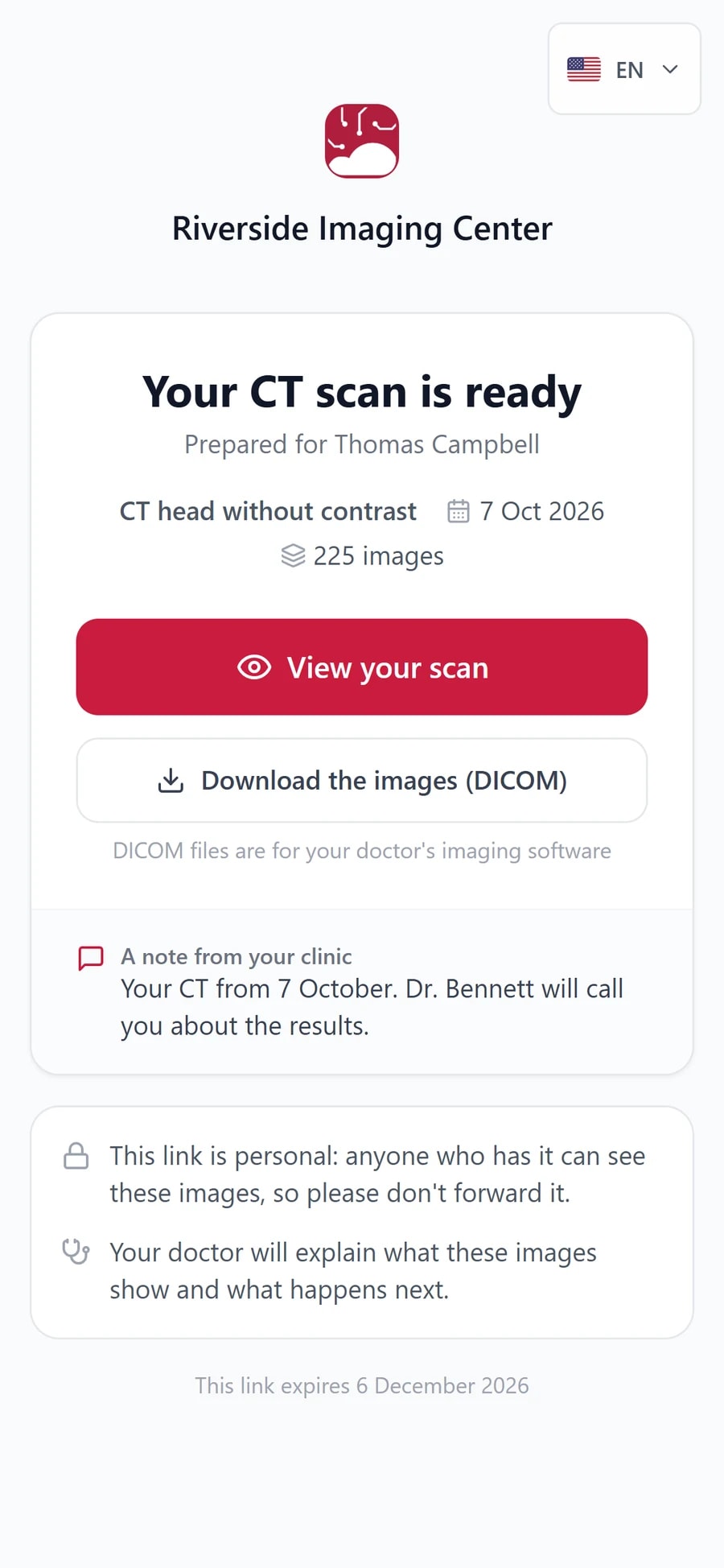
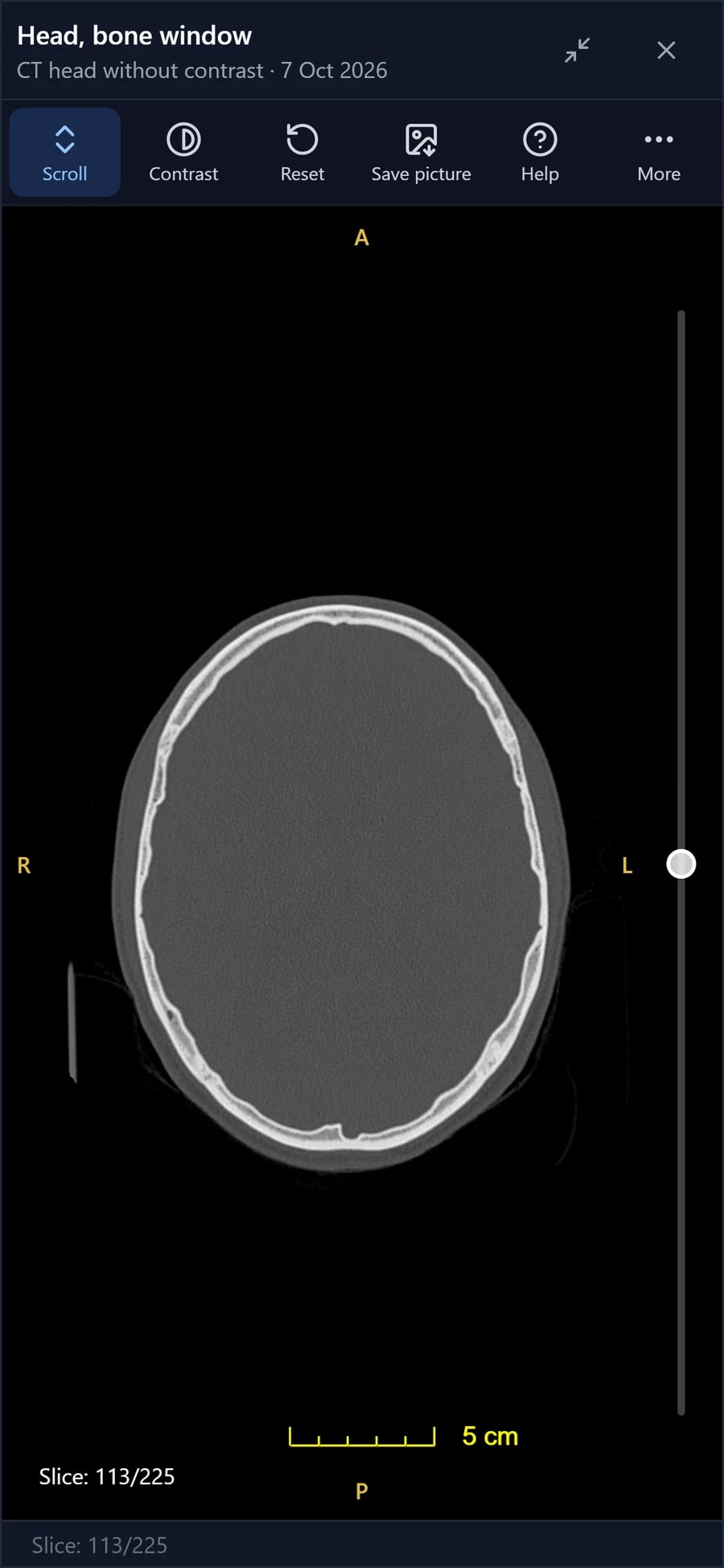
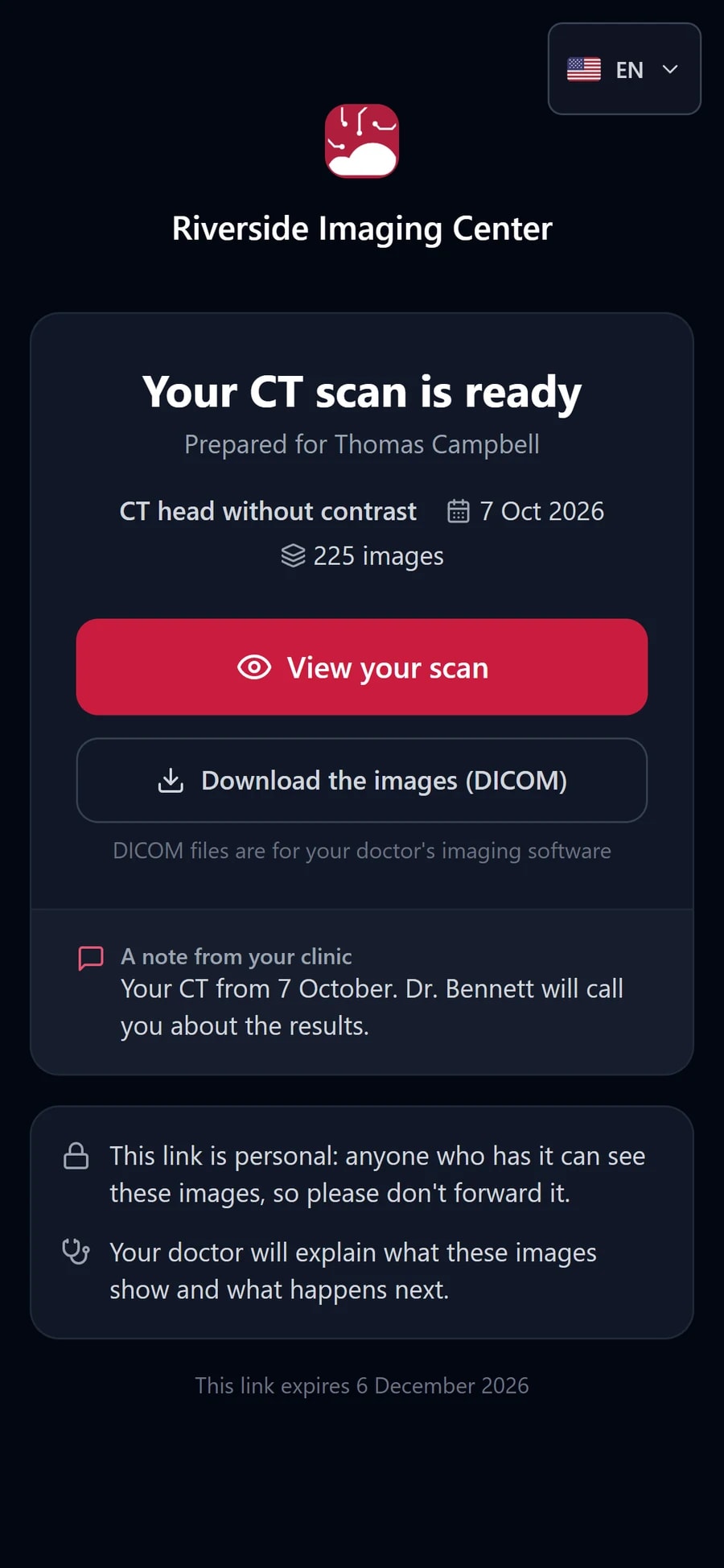
- Made for a phoneScroll through slices, change contrast, save a picture.
- 18 languagesThe patient picks theirs at the top of the page.
- QR at the deskNo typing a link. They scan it before they leave.
- Expires when you sayThe page shows the date the link stops working.
For their doctor
The same link works for the specialist they see next.
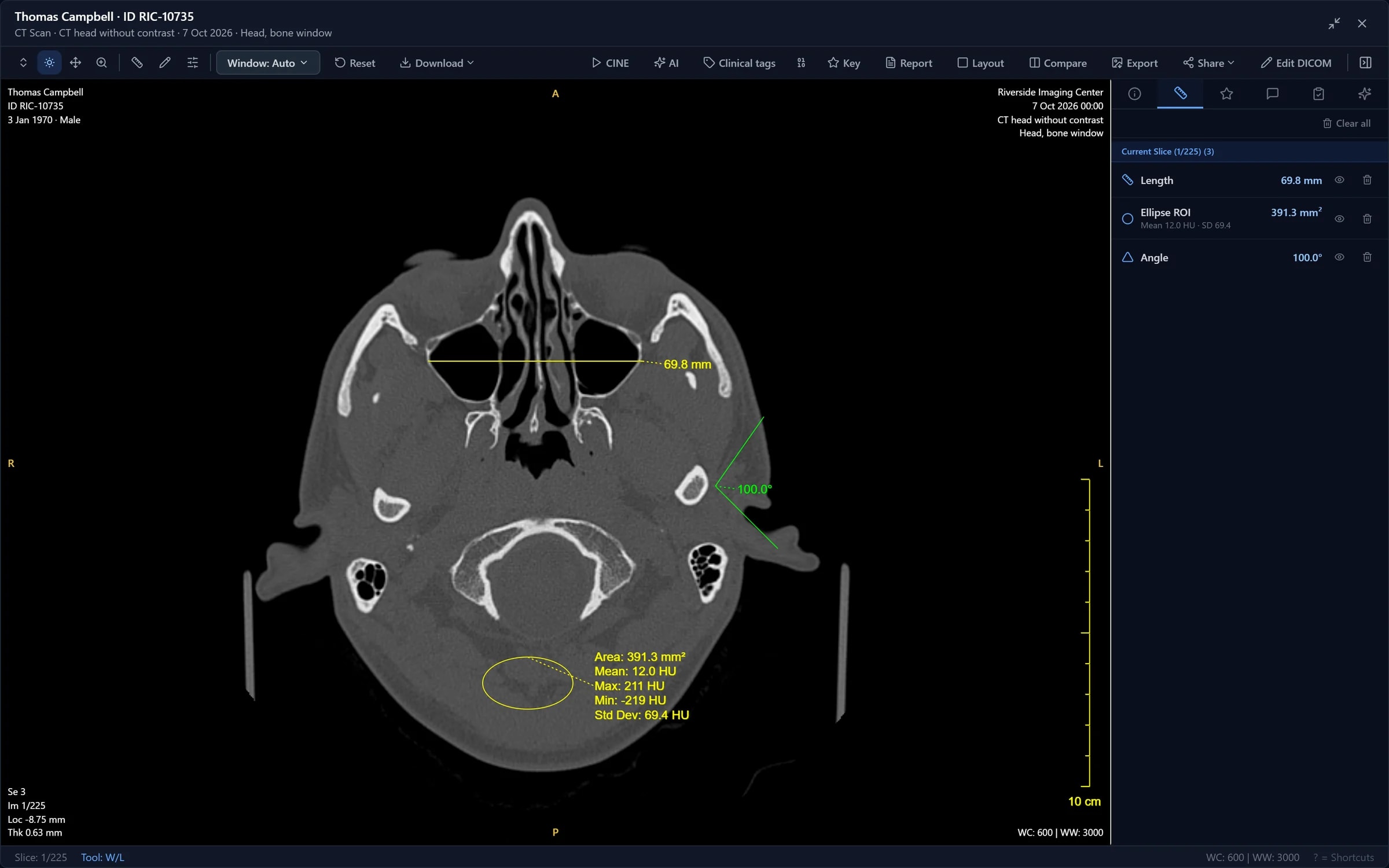
Open it with full tools, or download it.
- No account, no CD import
- The whole study, every series
- A ZIP of DICOM files for any imaging software
Patient Spaces
One place per patient, for every study and report.
- Invite the patientThey sign in by invitation and see only the spaces your clinic opened for them.
- Everything togetherStudies, reports and documents for that patient, in one shared space.
- On both plansTen Patient Spaces on Standard, unlimited on Pro.
Automate it
Let your software send the link.
- One API callAsk for a study’s link. A retry with the same key returns the same link, never a second one.
- WebhooksWhen a study is ready, we call your system with the link inside, so it sends the text in your words.
- Stop it from codeList a study’s links, see which still open, and stop one that went to the wrong number.
- Safe by defaultIf the pixels may carry patient details, the webhook says so instead of sending a link.
Details, code and error codes are on the Integrations page.
FAQ
Questions about sharing
Does the patient need an account or an app?
No. The link opens in the browser on their phone or computer. There is nothing to install and no account to make.
What does the patient see?
A page from your clinic that says their scan is ready, what it is and when it was taken, a note from you if you wrote one, and a View your scan button that opens the images in a viewer made for a phone. The page is available in 18 languages.
Can the patient’s doctor work with the images?
Yes. The same link opens with full viewing tools for a doctor, and the study downloads as a ZIP of DICOM files for the doctor’s or hospital’s own imaging software.
How long does a link last, and can I stop it?
You choose 7, 30 or 90 days, or no end date. You can stop any link at once from Share links, for example if it went to the wrong number.
Can I share without the patient’s name on the images?
Yes. Turn off patient details and the shared copy is de-identified: the name, IDs and dates are removed, including ones hidden in other image tags. Use it when you send a case to a colleague for a second look at the images.
What if a name is burned into the image itself?
Some scanners write patient details into the pixels, where removing tags does not help. When BigMind suspects that, it asks you to check the images before the link is made.
Can our own software create the links?
Yes. One API call returns the link for a study, and a retry with the same key returns the same link. A webhook can also hand your system the link as soon as a study is ready, so your booking or RIS software sends the text message in your own words.
Send the next scan as a link.
15 days free, 250 GB per seat, no card. Bring your own images or look around the sample clinic first.